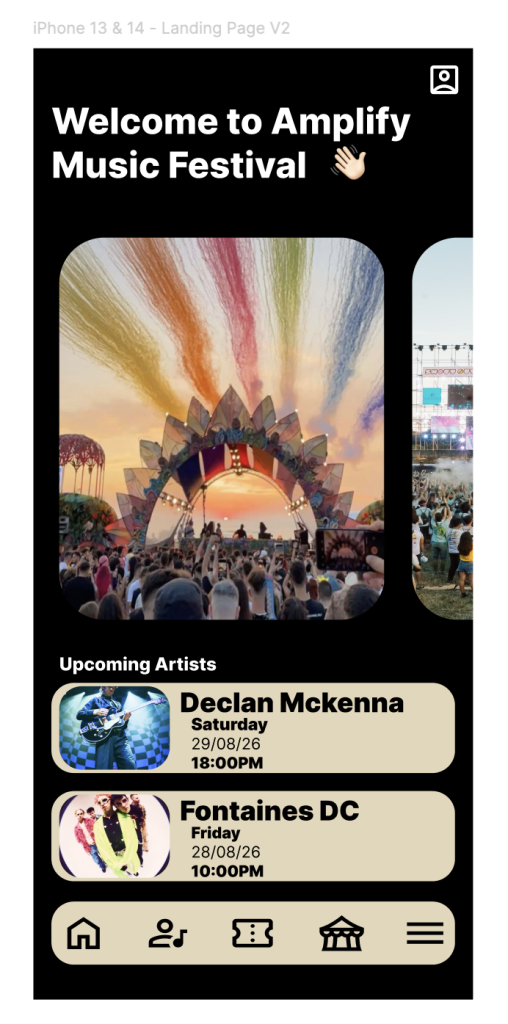
Post 3: High-Fidelity Mobile Prototype
When developing my high-fidelity mobile prototype i wanted to focus on the layout making sure it is visually appealing and that the layout is organised and not overwhelming for the user. The functionality of my app was also important so that the user could flow through it without stress.
Landing Page with navigation bar.
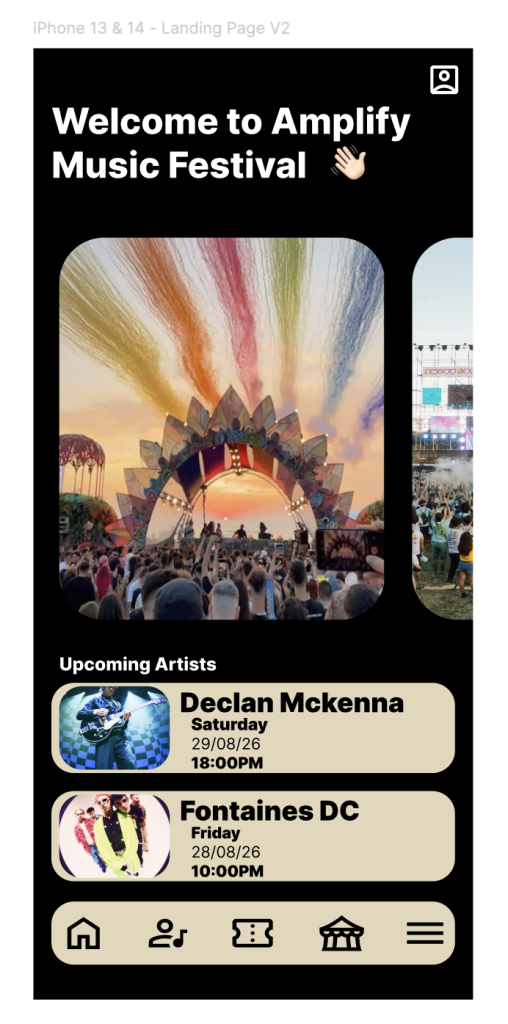
The key part of creating my apps functionality was the navigation bar. This is what links each part of the app, on every page i wanted to make sure that it was placed in the same place on every page and that you could navigate from it, i used Figma to help with this by making sure when the user clicked each icon it took them to the appropriate page.
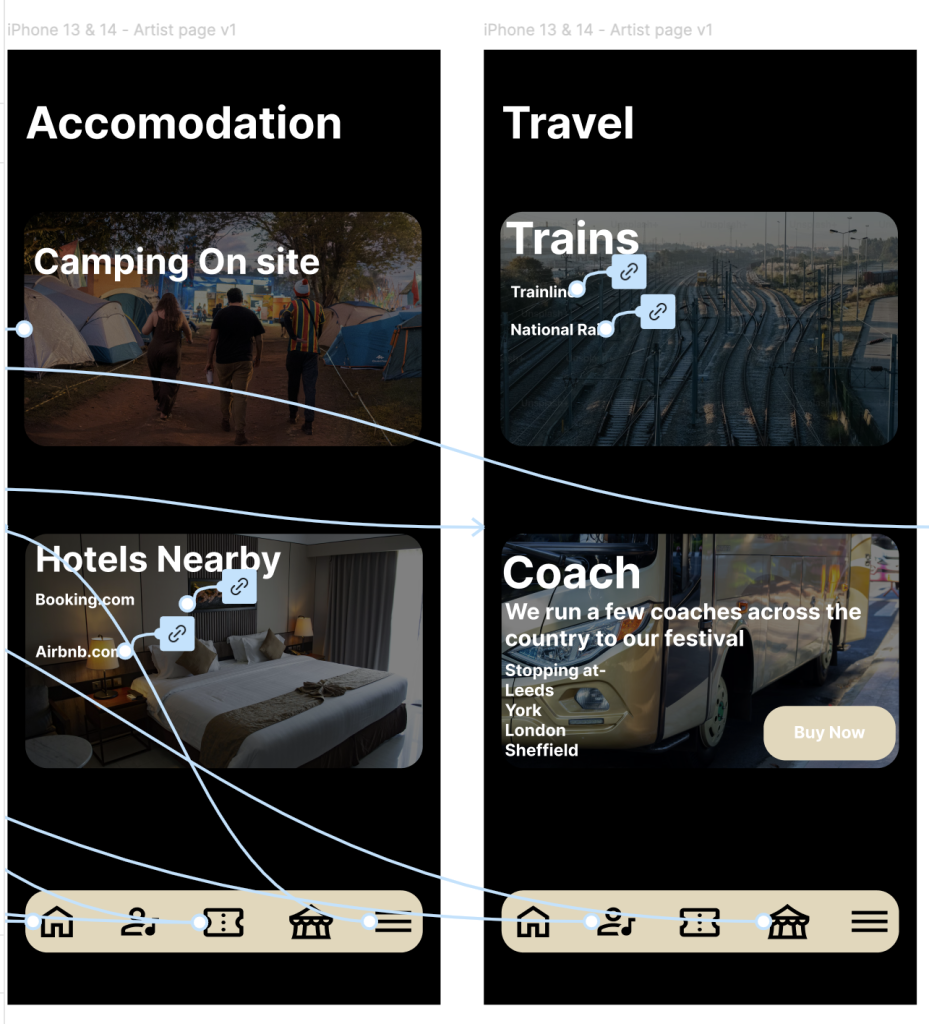
I added links within the app, for example on the travel page so that the user could easily access websites for travel which would be helpful for them and make their experience on the app stress free.
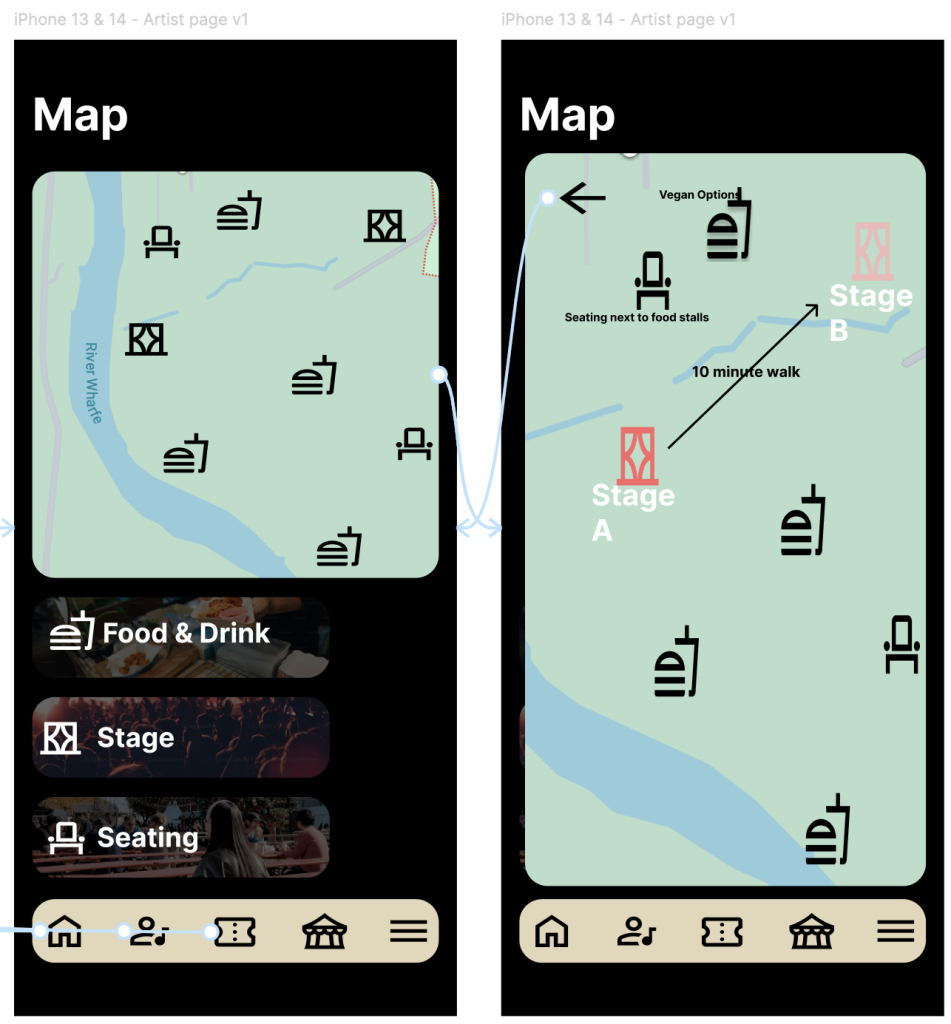
On my map page i added an overlay so that the map expanded when clicked with more information for the user, so it is easier to navigate around the festival.
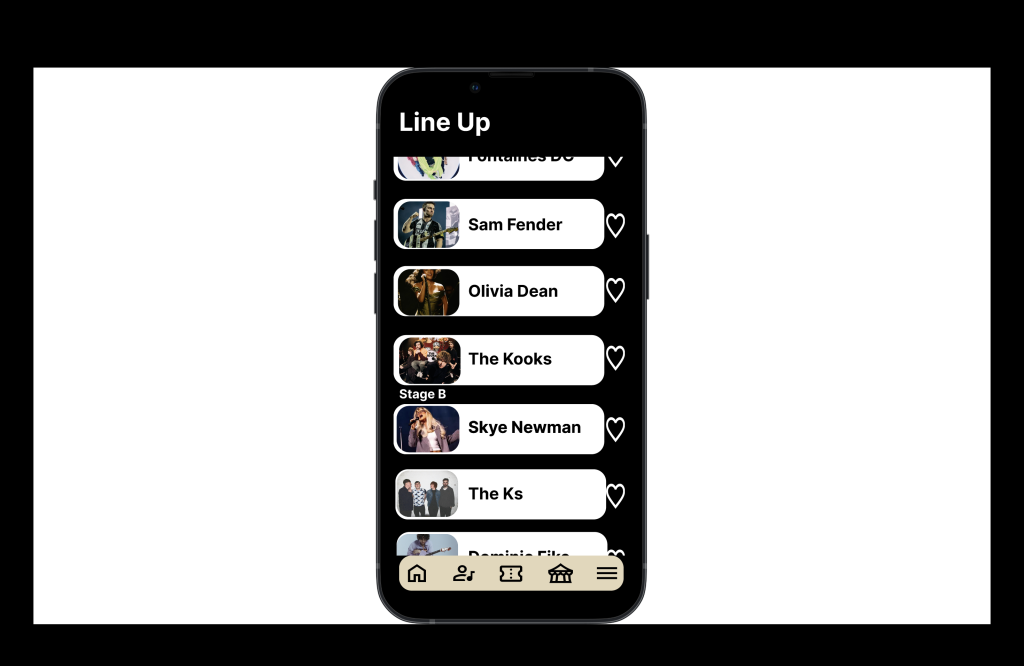
I used Figma to help with the functionality on the line up page to be able to scroll through the different artists playing this can give the user an idea of who they want to see, i also added what stage they was performing on so when the user looked at the map it was clear of where to go for which artists.
On my landing page iwanted the layout to have bold images that would give the user a feel for the festival. To be able to fit everything in i added a horizontal scroll feature so that when the user hovered over the images you could scroll and access more imagery.